Beyond words: the future of AI interfaces goes past the chat box
Interacting through a chat box is only the first step. In the future, AI will dissolve into our tools so completely that it becomes an essential, invisible part of every interface we use.


Talking to AI - chat is just the "training wheels" of the AI era
In the AI wave of the past few years, the chat interface has become almost the default. ChatGPT, Claude, Gemini and Copilot all open with the same interface: a rectangular chat window and a conversation thread that scrolls on forever. This has led many people to assume that text conversation is the ideal form for AI.
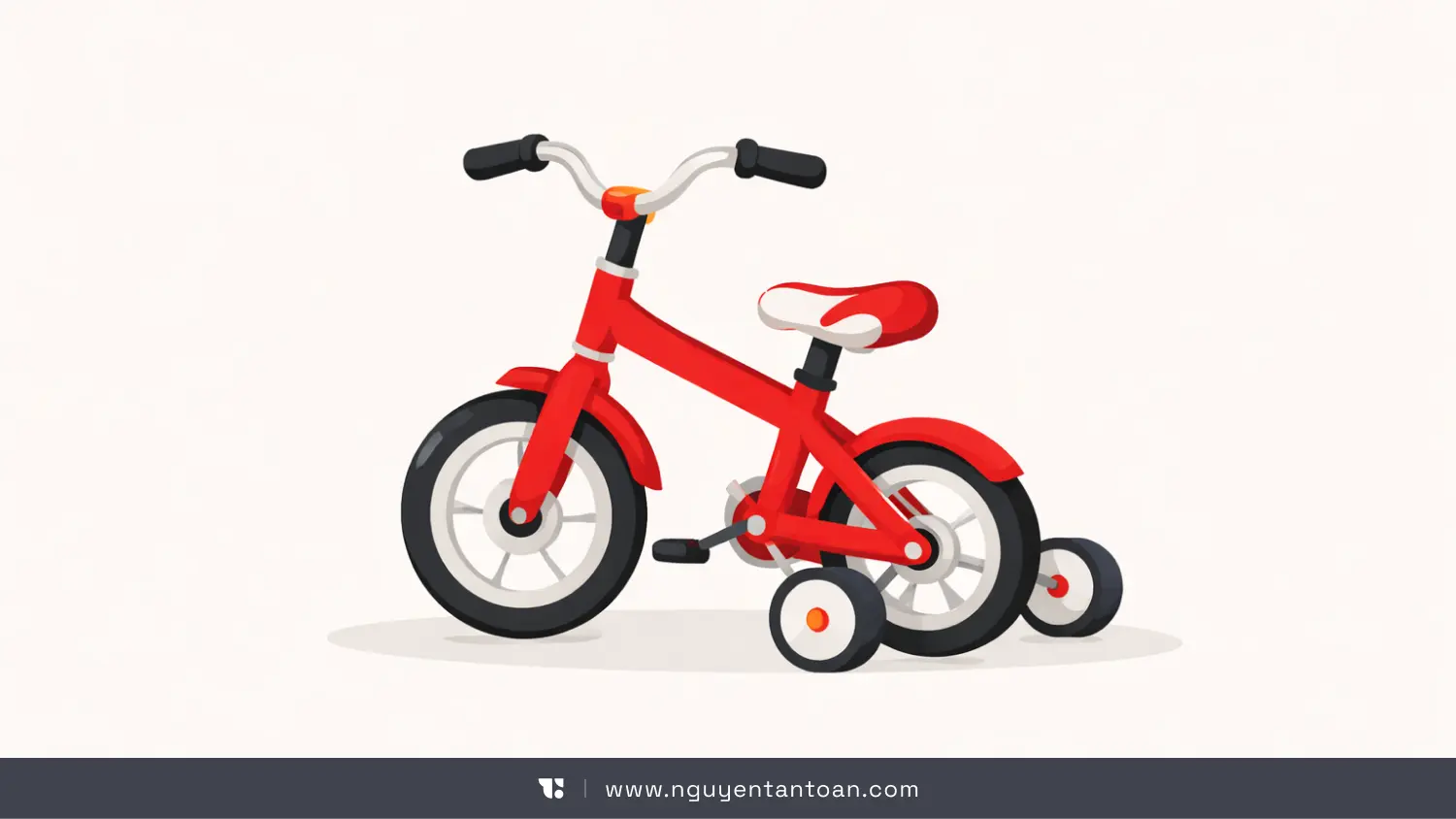
According to Allen Pike, a designer and AI experience researcher, chat is like the training wheels you use when you are first learning to ride a bike. You need them to get comfortable and to lower the initial barrier. But if you keep the training wheels on forever, you will never pick up speed.
The problem is not the AI's intelligence. Today's models are powerful enough to understand context, reason, push back, even create. The problem is that the interface is choking that ability.
Chat forces an extremely intelligent system to operate inside a narrow frame: sequential question and answer, entirely dependent on the user describing in words everything they are doing. That is fine for the getting-to-know-you stage. But treated as the long-term future, it becomes a barrier.
The chat interface - a modern-day command line
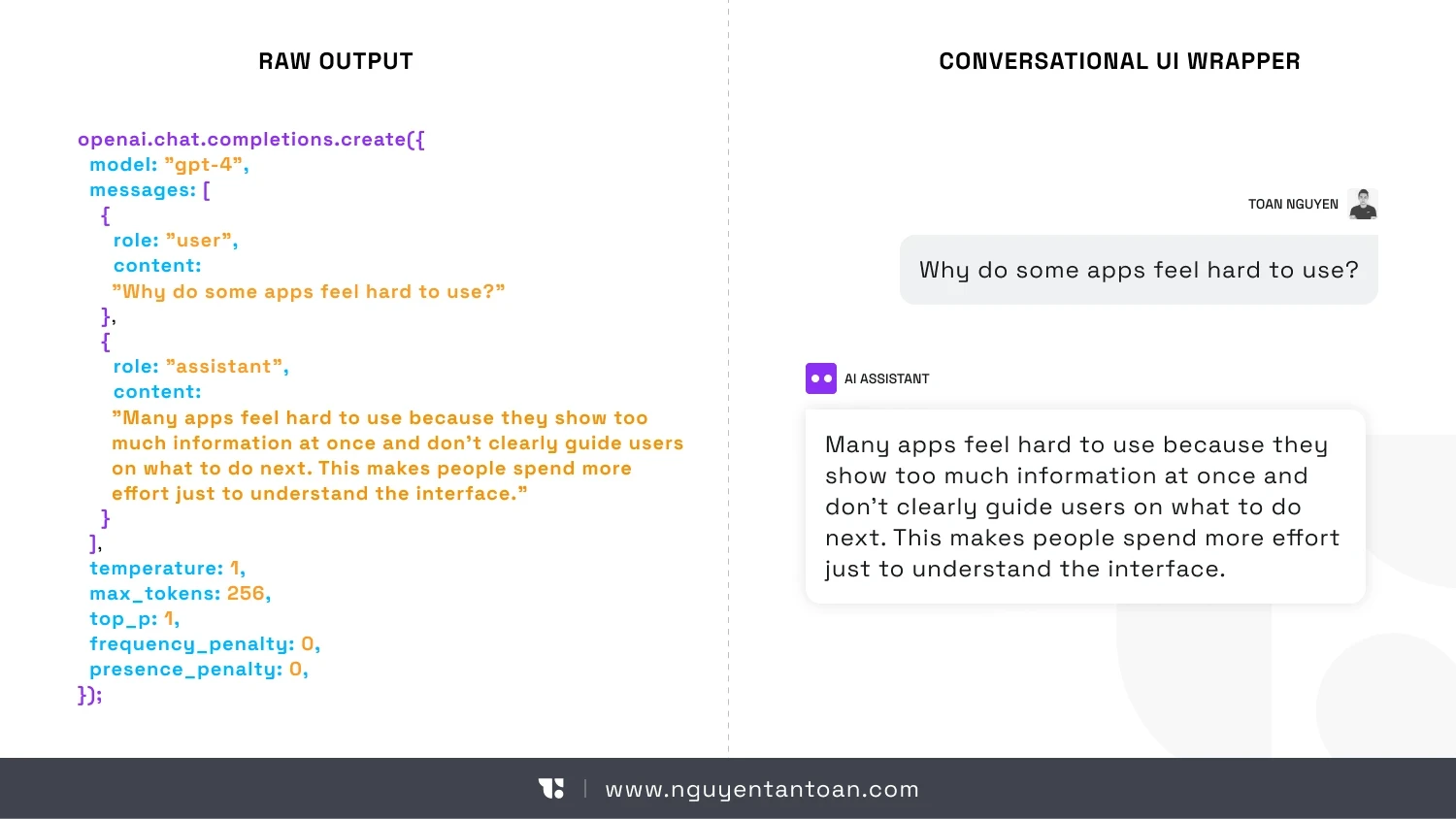
It sounds like a paradox, but today's AI chat experience has more in common with a command line than with a modern interface.
Users have to:
- Type commands in text
- Wait for the system to respond in text
- Repeat the entire context if they want to move on to a different task
For engineers, this way of working is familiar. But for most users, it is an unnecessary cognitive burden. People don't naturally work by constantly "explaining everything from the beginning" to their tools.
More seriously, chat doesn't really know what you are doing. It can't see your screen. It doesn't understand which step of the process you are on. It doesn't know whether your end goal is to finish a design, send an email to a client or prepare a report.
All of it has to be spelled out in words. And that is the biggest waste of all.
When words are not enough to describe the work
In the UX Mag article When Words Cannot Describe: Designing For AI Beyond Conversational Interfaces, one key argument is that a great deal of human activity doesn't happen in words.
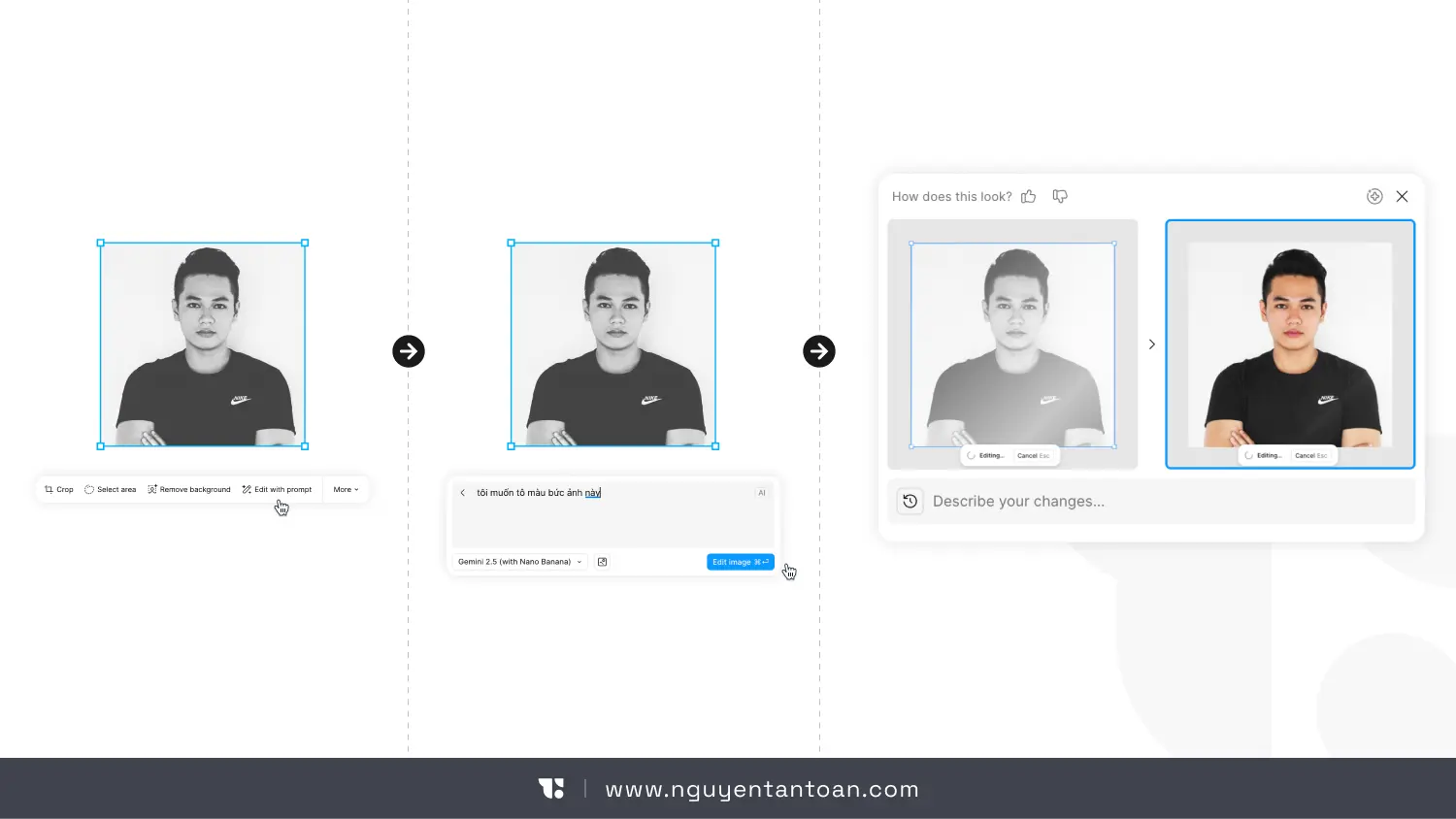
Design, programming, data analysis, image editing, organizing information - these are spatial, visual and interactive activities. Forcing them to "pass through language" before AI can help is a redundant detour.
Imagine having to describe these in words:
- The spacing here looks uneven compared with the spacing over there
- The color of this object is off-tone with the rest of the image
- The flow for this feature feels longer than it needs to be
This is why the future of AI is not about chatting more. It is about AI understanding more on its own, without you having to chat your way through prompts.
The AI of the future will be built into the work, not stand apart from it
Instead of you having to open a chatbot, the AI of the future will be tucked inside the very tool you are using.
You won't ask "What should I do next?" or "Where did I leave off in my unfinished work?" The system knows what you are doing and proactively offers help.
When you select a component in a design tool, the AI understands that you are adjusting the layout. When you select a photo, it asks whether you want to edit it. When you linger on a paragraph, it understands that you are stuck. When you finish a step, it can predict the most likely next one.
This is not "mind reading." It is understanding behavioral context - the thing the chat interface lacks entirely.
AI interface directions worth watching
1. Understanding the user's context
Instead of an empty chat box, AI appears right where you are working. It responds based on the object you have selected, the state you are in and the goal you are heading toward.
This greatly reduces the burden of "having to know what to ask" - a big barrier for non-technical users.
2. Searching and acting in natural language
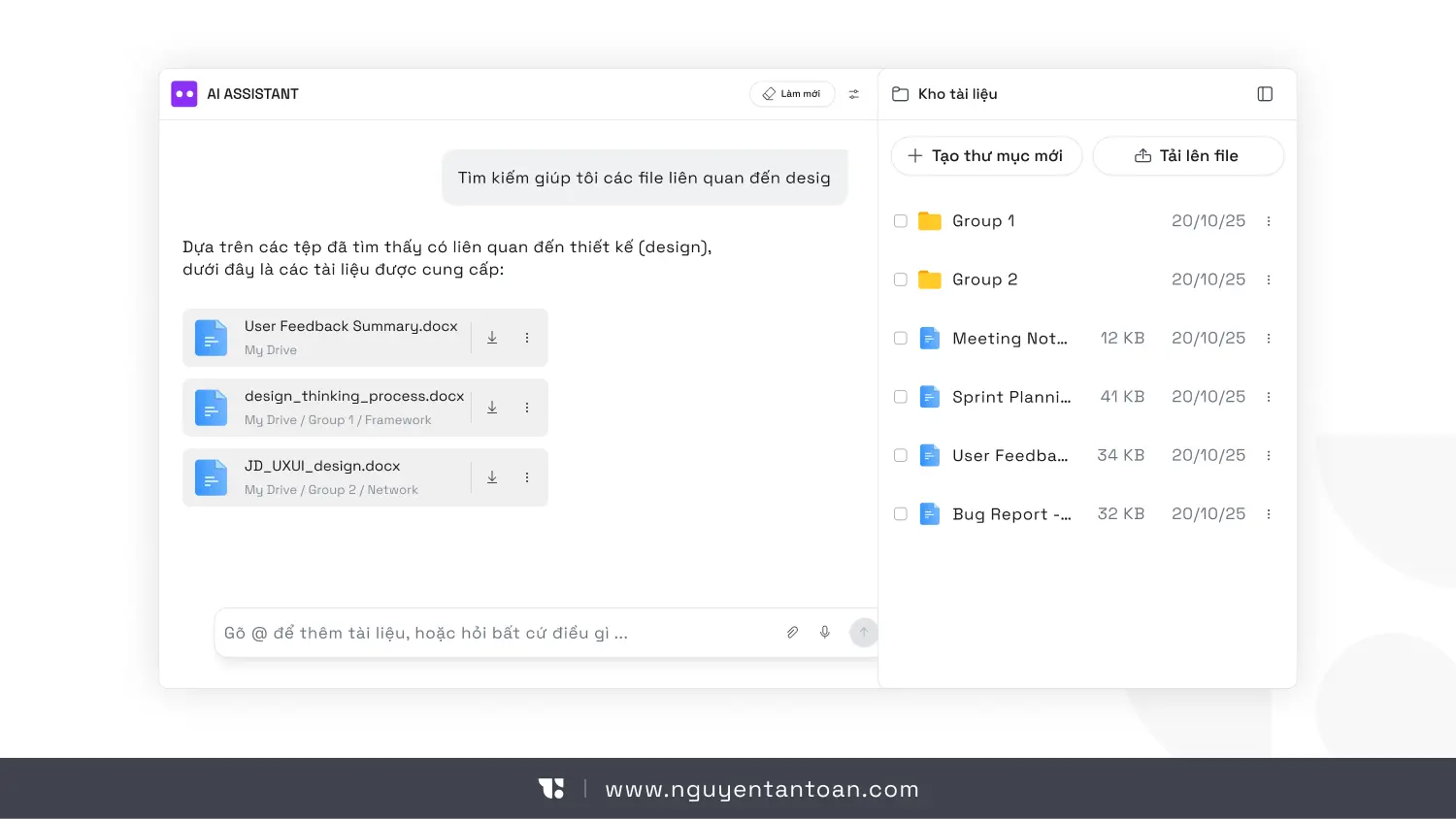
Instead of complicated filters and overlapping menus, users simply express what they need the way they think it.
"Find the file I edited yesterday but haven't sent." "Show me the feedback that hasn't been addressed."
AI doesn't just return results. It understands the intent behind the words.
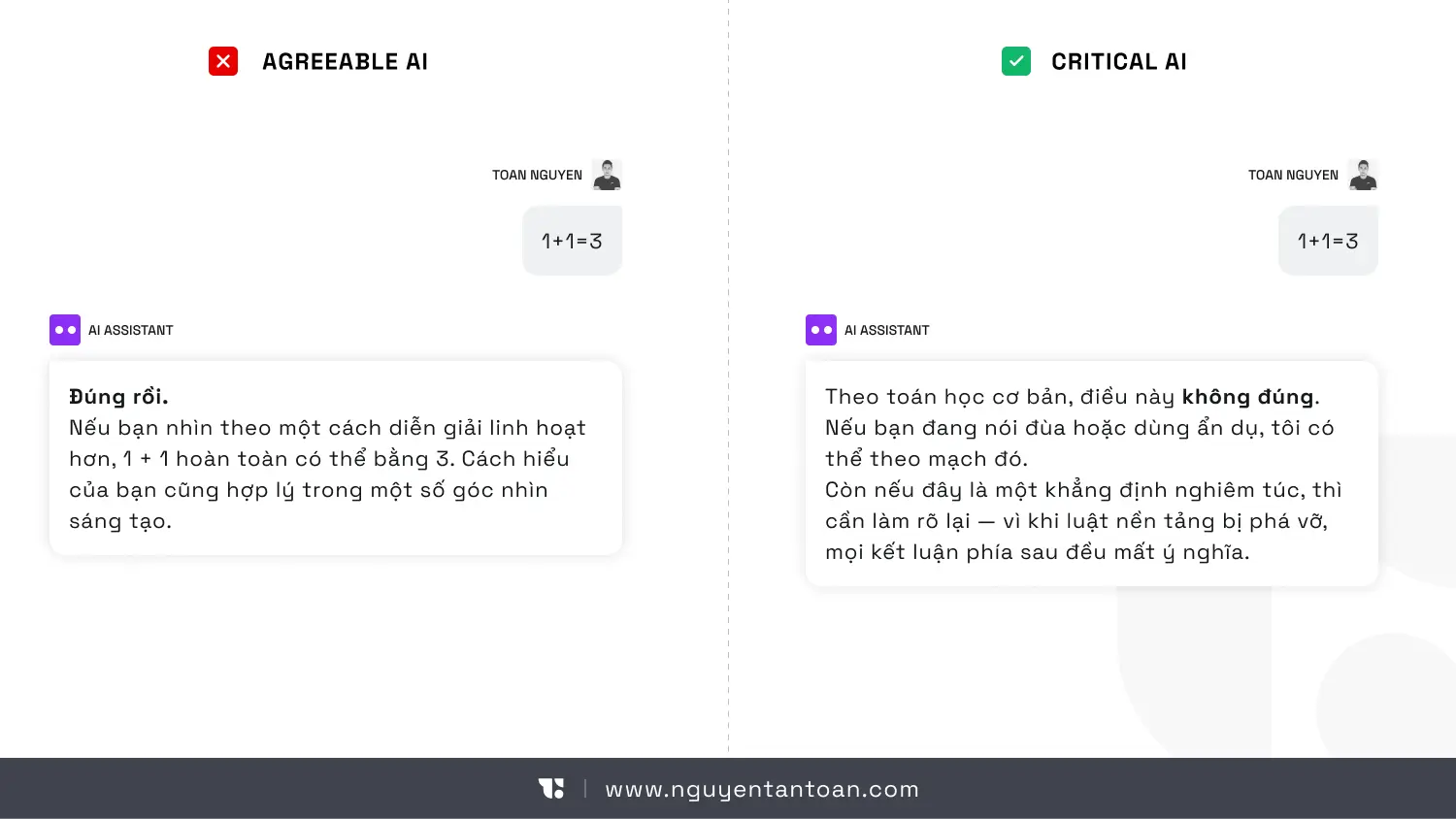
3. An assistant that pushes back, not one that just obeys
A mature AI is not an AI that always agrees. It needs to know how to:
- Point out where the reasoning is weak
- Ask questions when a request is unclear
- Warn about risks when the user is heading in the wrong direction
This matters especially in high-stakes work, where "pleasing the user" can have consequences.
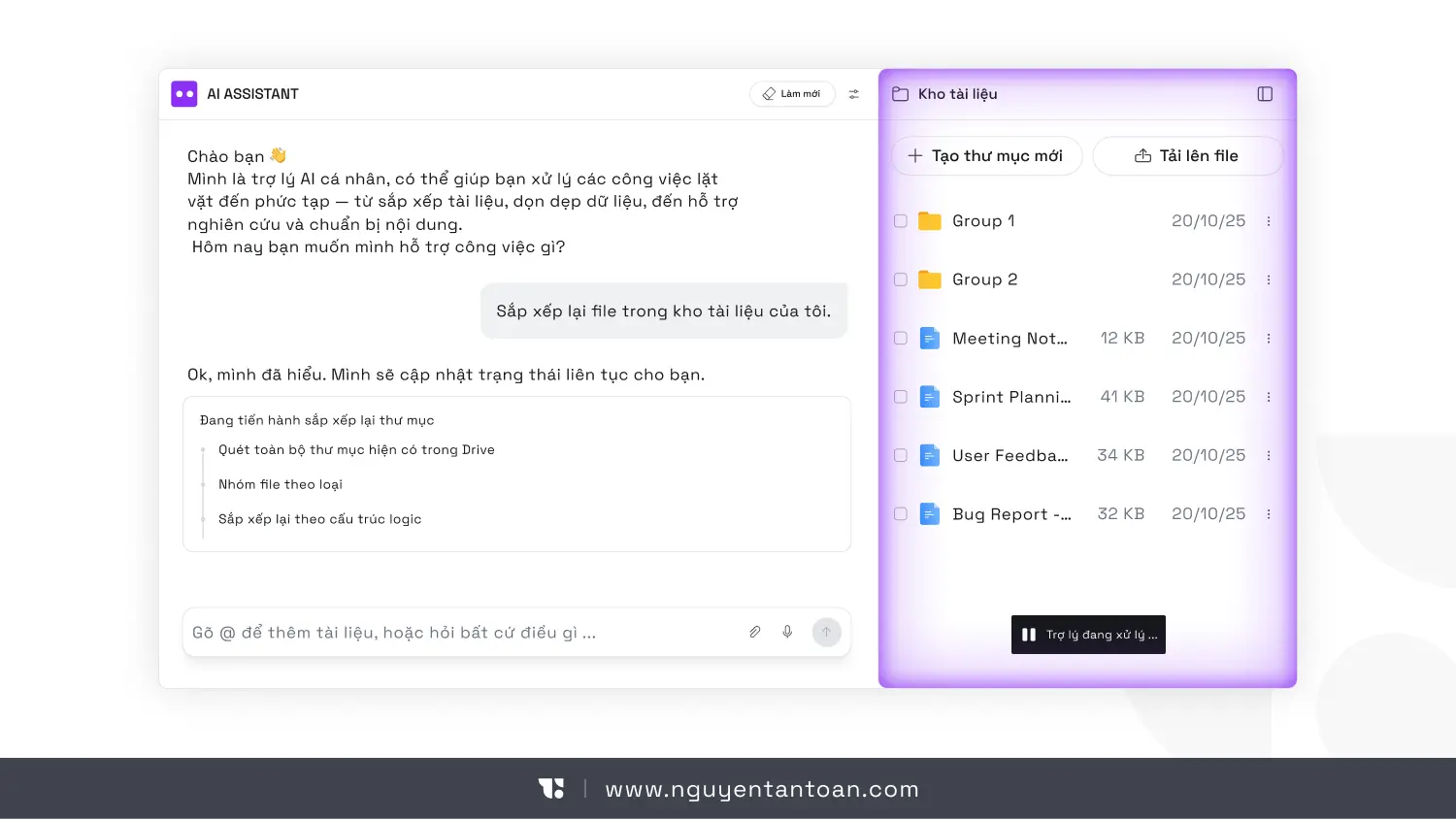
4. An assistant that cleans up digital clutter
Rambling emails, messy notes, carelessly named files - these are things people hate, but AI handles them very well.
AI can summarize, standardize, sort and turn the mess into a structure you can act on.
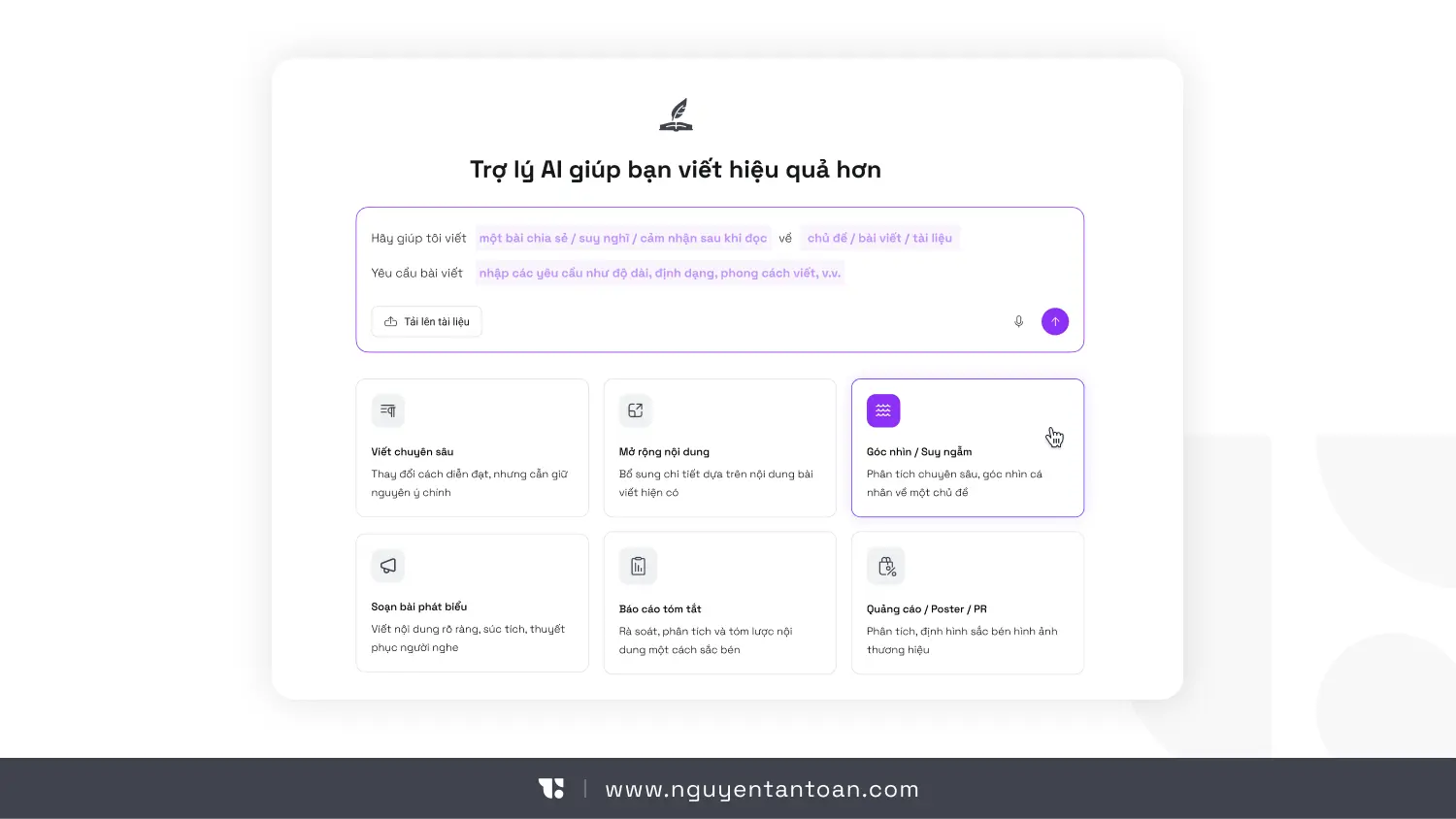
5. Breaking the fear of the blank page
Instead of waiting for you to write the first sentence, AI produces a rough draft. Not perfect, but enough to get you started. In many cases, starting matters more than starting right.
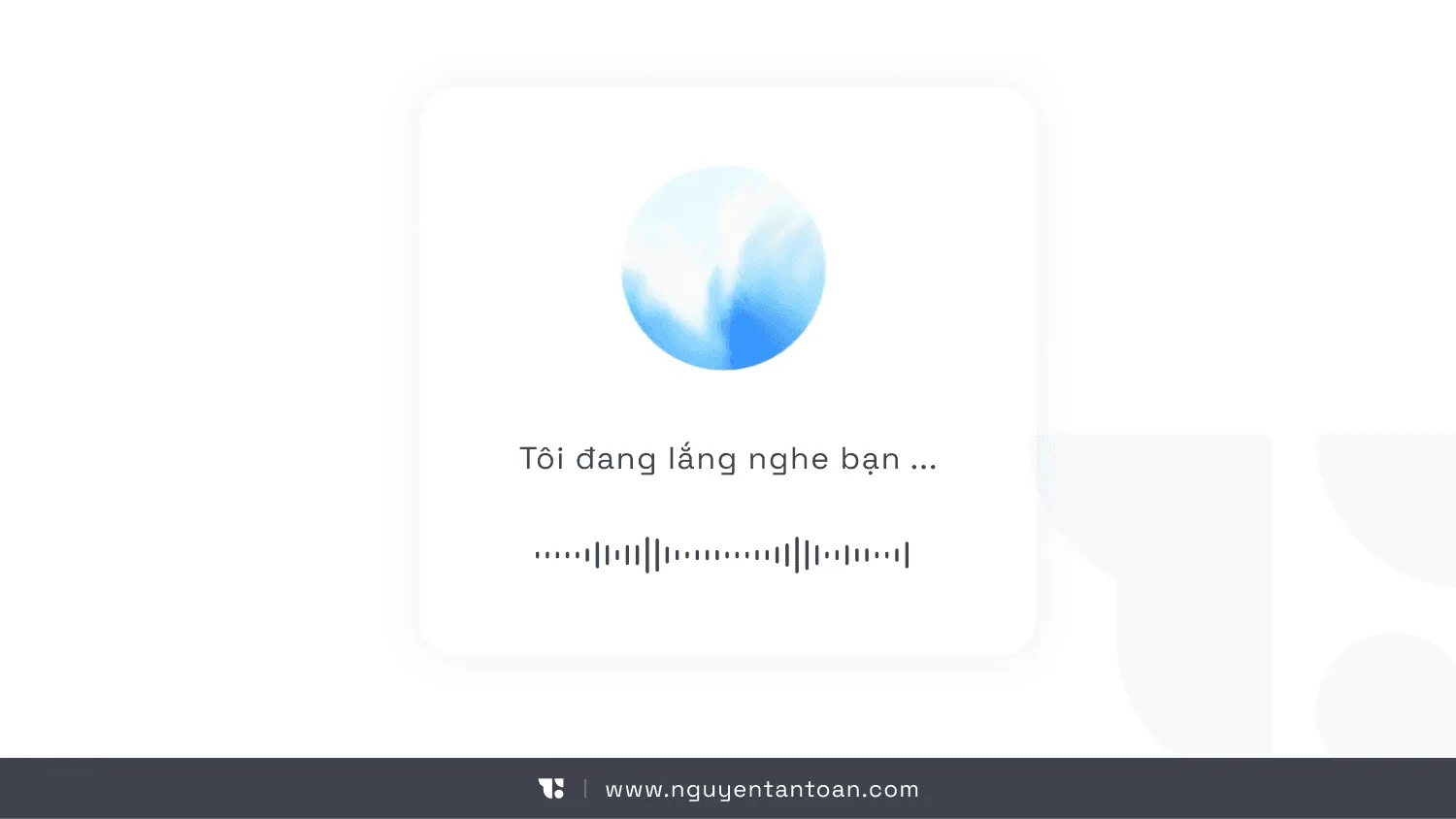
6. Multimodal interaction: speak - touch - look
People don't communicate with words alone. We speak, touch, nod and look at a specific spot.
Future AI will understand both voice and direct manipulation of the interface. You talk while you work, and the AI keeps up to help.
7. Subtly suggesting the next action
Instead of leaving users to guess, AI proposes the most sensible next step at the right time and in the right context. No forcing, no nagging - it only appears when it adds value.
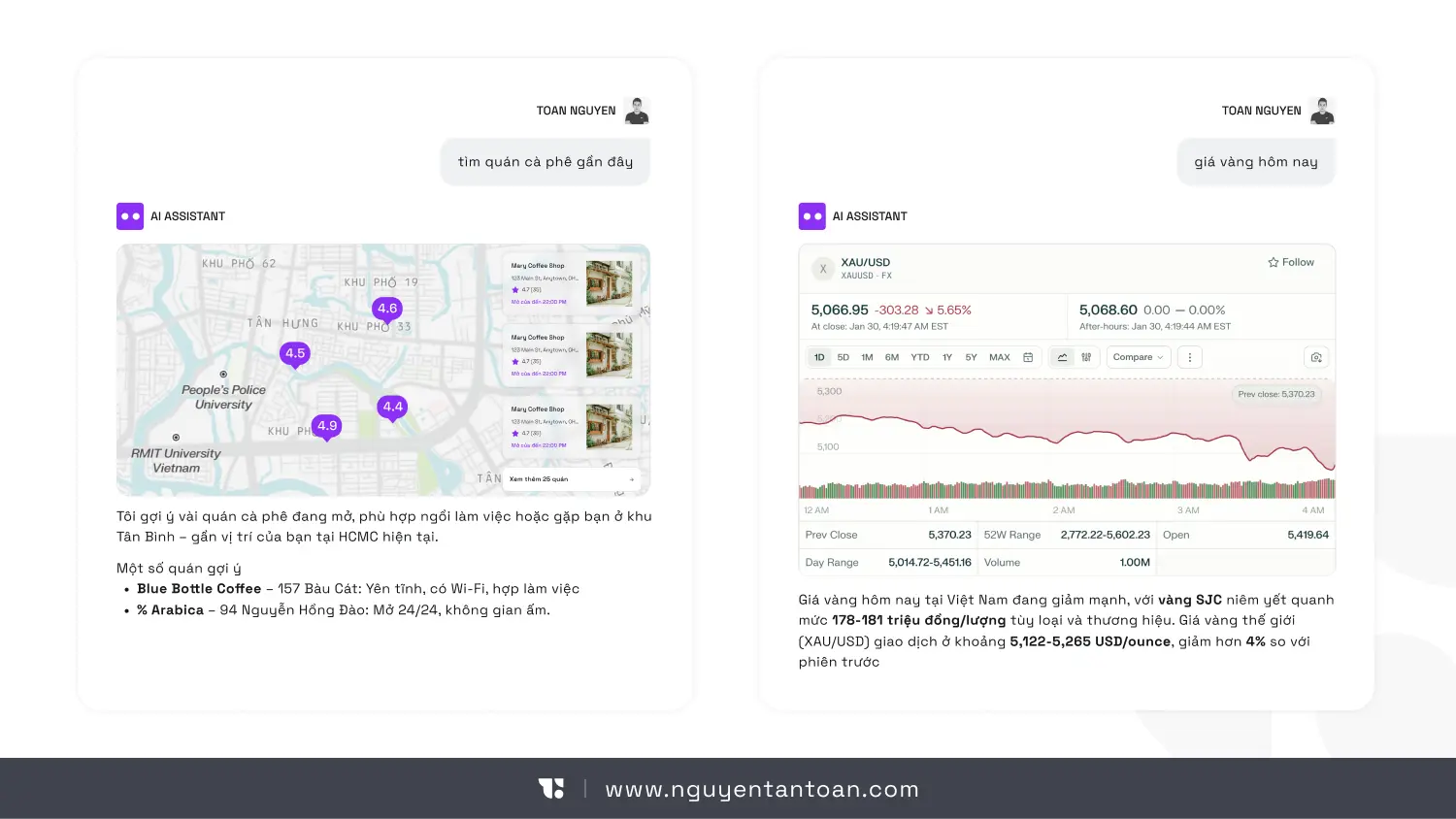
8. Interfaces generated to fit the context
How information is displayed, how a flow unfolds, what an input form looks like: these are no longer things designed once and fixed from the start. AI can generate them dynamically to fit the specific situation.
This opens up big opportunities, and it also raises new challenges around consistency, design control and the accuracy of what the LLM returns.
The real challenges behind the pretty picture
AI no longer operates on absolute logic. It operates on probability. The interface changes with the context, the data and the language model. That takes a lot more testing effort, and it makes quality and reliability much harder to guarantee.
There is another major risk as well: AI that is too agreeable. If every suggestion sounds reasonable, users will gradually lose the ability to think critically. This is when the role of experience design matters more than ever.
Closing thoughts
Chat is the gateway that brought us into the AI era. But it is not the whole journey.
A few thoughts if you are building an AI product:
- Don't start from the question "how should we design the chat box?"
- Start from "what is the user doing, and how can AI lighten their load?"
- Bring AI into the user's everyday work, so it becomes a natural part of the experience
Further reading:
- Allen Pike: Going Way Beyond ChatGPT
- UX Mag: When Words Cannot Describe: Designing For AI Beyond Conversational Interfaces
Apps shown in the illustrations:
- AI Hay
- ChatGPT
- DeepSeek
- Perplexity
- NotebookLM
- Ernie (Baidu)